IPv6 on Windows NT 4 and 2000
It’s been 30 years since IPv6 was first introduced to the world by the IETF as a solution to the IPv4 address exhaustion problem. In 2026, worldwide adoption of IPv6 by ISPs and client software vendors varies, but is not great overall.
But even for operating systems released around the time of IPv6’s introduction, we can get them speaking IPv6 and talking to the public internet without NAT!
Current IPv6 capability by country




But first: security
One of the great benefits of IPv6 is that every device can have its own publicly-routable internet address. This is fantastic for the end-to-end principle as devices no longer need to go through NAT.
A benefit of NAT however is security. Devices behind NAT are, by default, not reachable from the public internet unless port-forwarding is set up.
IPv6 on the other hand doesn’t go through any NAT, so if your router is configured to allow any incoming IPv6 traffic, these old computers could be compromised in a hurry.
Make sure you are not allowing unfiltered incoming IPv6 traffic. I’d recommend putting all your retro machines on a VLAN and disallowing any inbound IPv6 traffic at all.
Windows NT 4.0
Microsoft Research released an IPv6 stack for Windows NT 4.0. I couldn’t find when they published the first version of it, but the earliest page capture on the Wayback Machine is from June 2001 marking the release of version 1.4.
That page mentions they did a talk about version 1.1 at the USENIX Windows NT Symposium in 1998, so that gives us an idea of the timeline.
At least now in March 2026, you can still download the 1.4 source code from Microsoft directly, but they no longer host the binaries.
Thanks once again to archive.org, the binaries for MSR IPv6 1.4 are available.
Installation
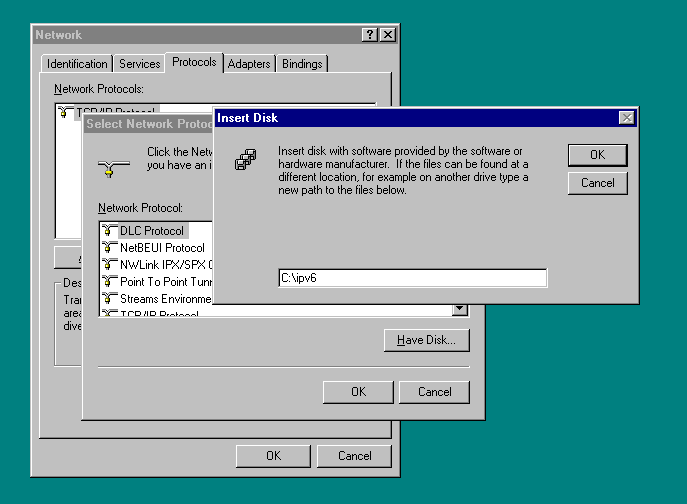
- Open
msripv6-bin-1.4.exeand extract the contents somewhere likeC:\ipv6 - Open Control Panel, Network, and the Protocols tab
- Click Add… and then Have Disk… and point it to
C:\ipv6 - You’ll pick MSR IPv6 Protocol, OK-out, and reboot.
After a reboot, IPv6 should be configured and working automatically with SLAAC.
Configuration and status of IPv6 is all done with the command line app ipv6,
You can use ipv6 if to check the status of your interfaces.
Here you can see my Interface 3 has a public IPv6 address!
Interface 4 (site 1):
  uses Neighbor Discovery
  link-level address: 10.8.32.46
    preferred address fe80::a08:202e, infinite/infinite
    multicast address ff02::1, 1 refs, not reportable
    multicast address ff02::1:ff08:202e, 1 refs, last reporter
  link MTU 1280 (true link MTU 65515)
  current hop limit 128
  reachable time 39000ms (base 30000ms)
  retransmission interval 1000ms
  DAD transmits 1
Interface 3 (site 1):
  uses Neighbor Discovery
  link-level address: 52-54-00-c1-60-f2
    preferred address 2a13:e745:23e1:32:5054:ff:fec1:60f2, 86300s/86300s (addrconf)
    preferred address fe80::5054:ff:fec1:60f2, infinite/infinite
    multicast address ff02::1, 1 refs, not reportable
    multicast address ff02::1:ffc1:60f2, 2 refs, last reporter
  link MTU 1500 (true link MTU 1500)
  current hop limit 64
  reachable time 15000ms (base 30000ms)
  retransmission interval 1000ms
  DAD transmits 1
Software
Most software of this era doesn’t support IPv6. The IPv6 Kit from Microsoft
includes some CLI variants of tools like ping6 and tracert6.
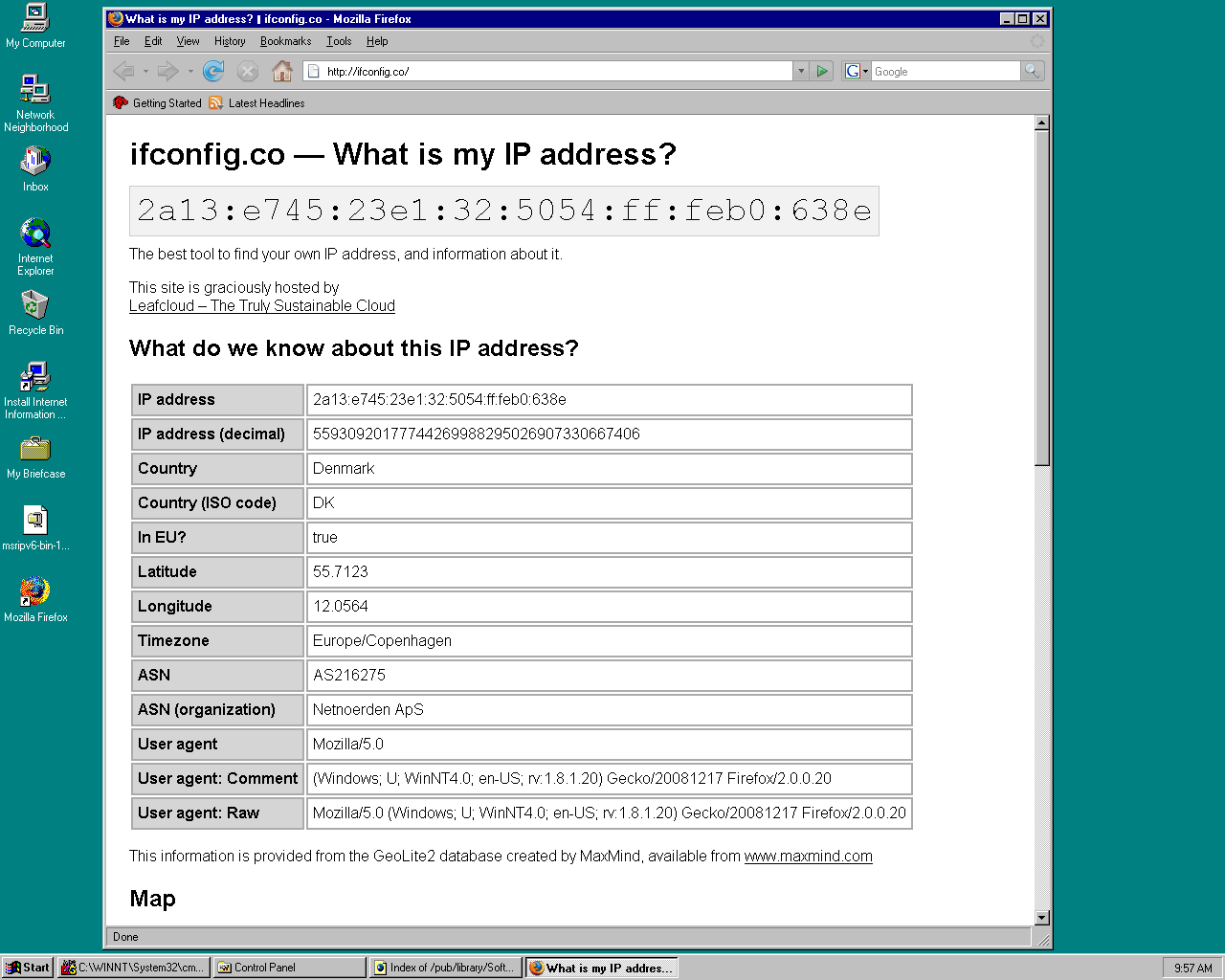
You can install Firefox 2.0.0.20, the last version of Firefox to support Windows NT 4, and it will not only work with IPv6, but will actually prefer it!
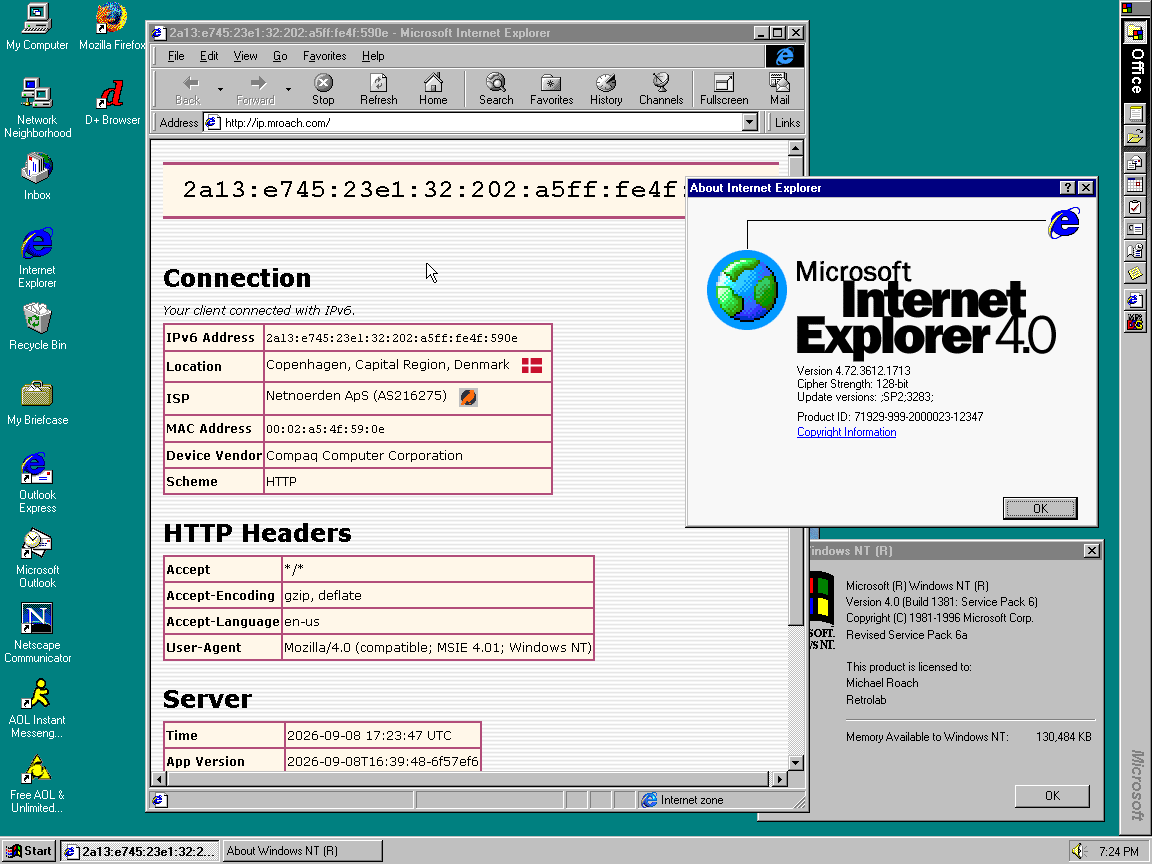
If you’re running Internet Explorer 4.0, you can manually upgrade wininet.dll
to get IPv6 support:
rename c:\winnt\system32\wininet.dll wininet.oldcopy c:\ipv6\wininet.dll c:\winnt\system32\- Reboot
Stack support
I’ve copied this list from the archived MSR IPv6 page:
- Basic IPv6 header processing
- Hop-By-Hop and Destination Options headers
- Fragmentation header
- Routing header
- Neighbor Discovery
- Stateless address autoconfiguration
- ICMPv6
- Multicast Listener Discovery (a.k.a. IGMPv6)
- Ethernet and FDDI media
- Automatic and configured tunnels
- IPv6 over IPv4 (Carpenter/Jung draft)
- 6to4 (Carpenter/Moore draft)
- Site-Prefixes (Nordmark draft)
- UDP and TCP over IPv6
- UDP Lite (Larzon draft)
- Raw packet transmission
- Correspondent node mobility
- Router functionality (static routing tables)
- IPSec authentication (AH and ESP, tunnel and transport mode)
Windows 2000
The IPv6 Technology Preview for Windows 2000 was designed for Service Pack 1 and Internet Explorer 5.0. The installer will error-out if you’re on a newer service pack. You can patch the installer to force installation, but there’s a caveat to doing this.
wininet.dll is the internet library for Internet Explorer and Outlook Express.
The IPv6 Technology Preview includes a patched version of this file that includes IPv6 support.
If you’re running a version of Internet Explorer beyond 5.0 though, the installer
will not overwrite the newer version of wininet.dll on your system and Internet Explorer
will not get IPv6 support.
Either way, download tpipv6-001205.exe from the Internet Archive.
Step 1: Service Pack 1
Open tpipv6-001205.exe and run the installer, reboot, continue to Step 2.
Step 1: Service Pack 2+
- Open
tpipv6-001205.exean extract toC:\IPv6Kit - Open a command prompt and
cd C:\IPv6Kit - Run
setup -xto extract the files instead of running setup, close the command prompt. - Open
C:\IPv6Kit\filesand then openhotfix.infin Notepad. - On the line with
NTServicePackVersion=256, change the256to1024, then save and close. - Now, run
hotfix.exeand reboot.
Step 2
After the reboot, you’ll have to add the IPv6 protocol:
- Start, Settings, Network and Dial-up Connections.
- Open your adapter’s properties.
- Click Install…, select Protocol, click Add…
- Select Microsoft IPv6 Protocol
After a reboot you can confirm that you have an address using ipv6 if at the Command Prompt.
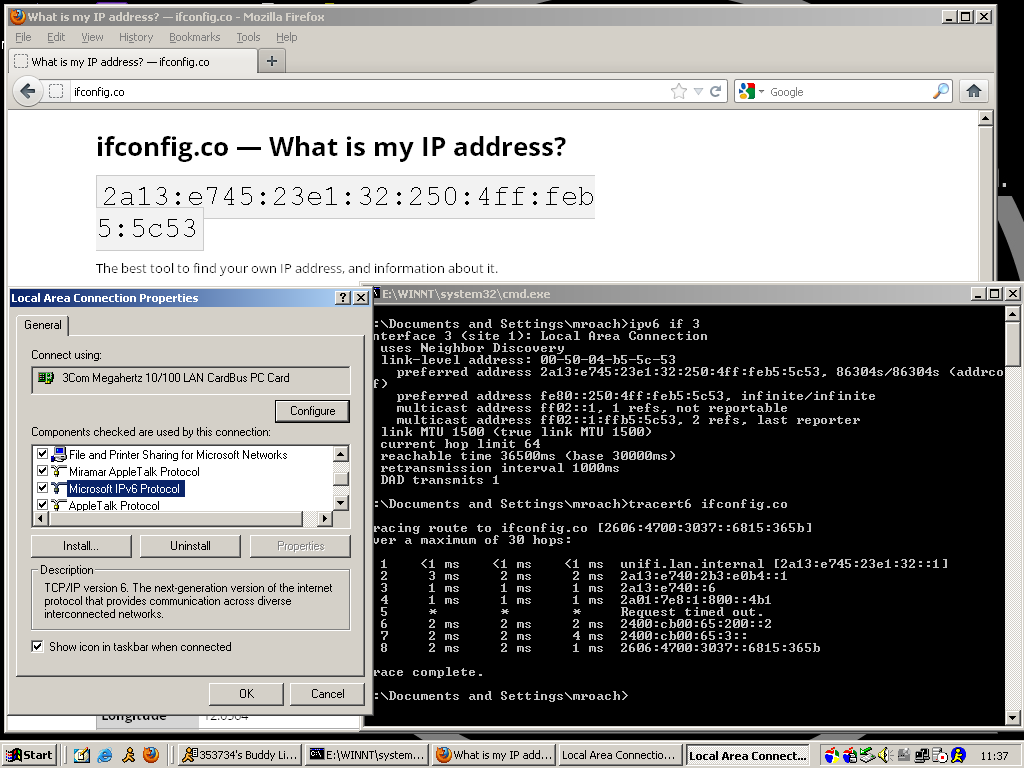
Software
Like Windows NT 4, ping6 and tracert6 are installed.
The last version of Firefox to work on Windows 2000 is Firefox 12.0.
Internet Explorer
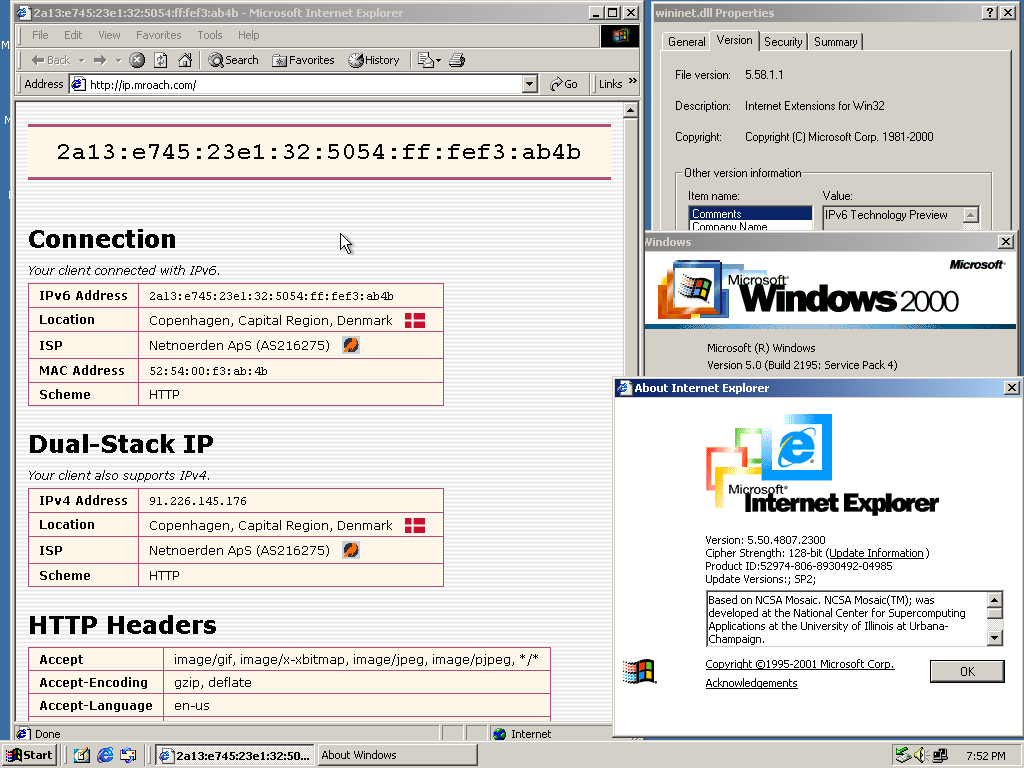
If the installer didn’t replace wininet.dll with its version, you’ll have to do
that manually to get IPv6 support. I’ve tested this with IE 5.0 and 5.5 SP2.
copy /y c:\ipv6kit\files\wininet.dll c:\winnt\system32\
Reboot, and you should be surfing the world wide web with IPv6.
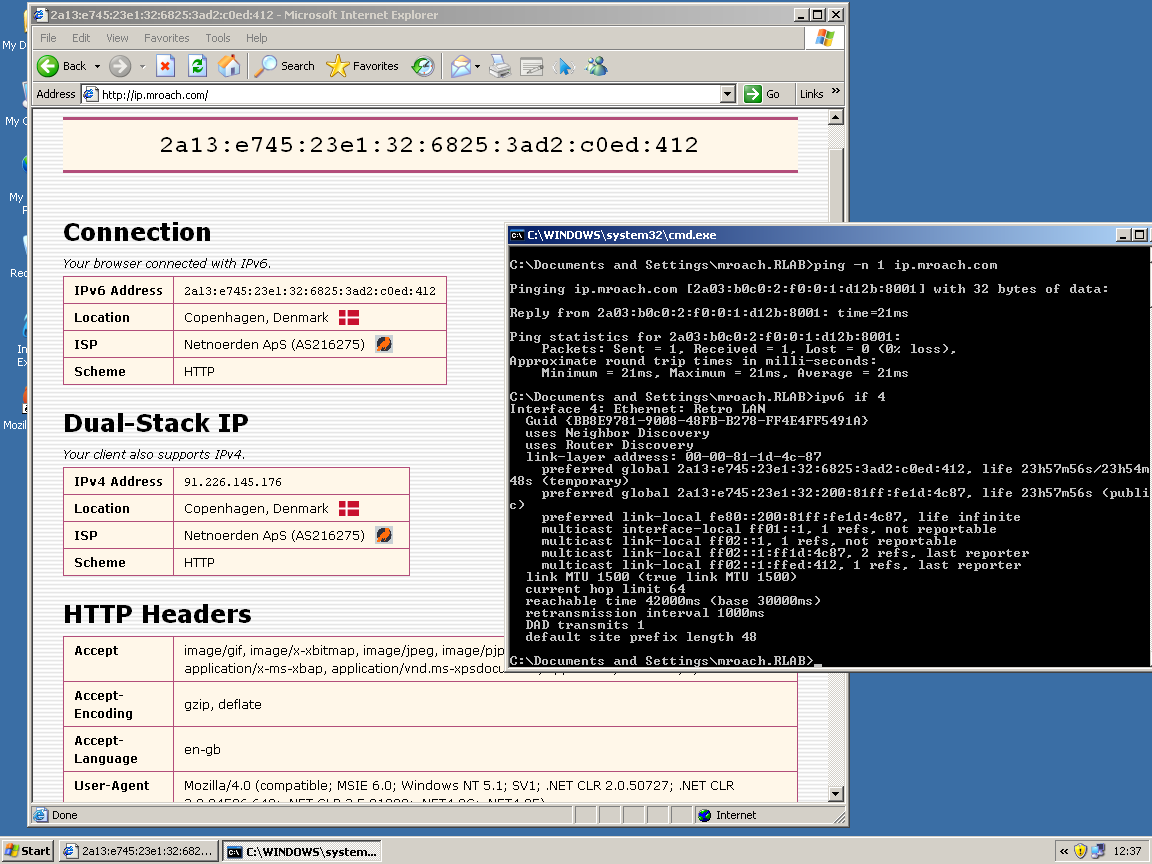
Windows XP
Windows XP and beyond come with IPv6 included, but it’s not enabled by default. Adding it is easy. It’s the same procedure as adding a protocol in Windows 2000.
You still have to use the command line app ipv6 for status and configuration though.
- Internet Explorer 6.0 will default to IPv6 when it’s available.
- Tools like
pingandtracertwill also default to IPv6 when available.